Mysql Relocate the Data Directory
cp data file cp /var/lib/mysql /data -Rf chown -R mysql:mysql /data/mysql AppArmor /etc/apparmor.d/local/usr.sbin.mysqld
/data/mysql r, /data/mysql/** rwk, sudo systemctl reload apparmor sudo as myql sudo -s -u mysql mysql 时间类型支持微秒 MySQL permits fractional seconds for TIME, DATETIME, and TIMESTAMP values, with up to microseconds (6 digits) Mysql DATETIME(6) DATETIME[(fsp)] The fsp value, if given, must be in the range 0 to 6. A value of 0 signifies that there is no fractional part.
泛播IPV4
What is anycast? Anycast, also known as IP anycast, is a networking technique that allows for multiple machines to share the same IP address. Based on the location of the user request, the routers send it to the machine in the network that is closest. This is beneficial since, among other things, it reduces latency and increases redundancy. If a particular data center were to go offline, an anycasted IP would choose the best path for users and automatically redirect them to the next closest data center.
doing_on_ubuntu
TZ $ export TZ=:/etc/localtime locale /etc/environment: LC_ALL=en_US.UTF-8 LANG=en_US.UTF-8 1: set TZ=:/etc/localtime https://blog.packagecloud.io/eng/2017/02/21/set-environment-variable-save-thousands-of-system-calls/
mysql utf8 For the recent version of MySQL,
default-character-set = utf8 causes a problem. It’s deprecated I think.
As Justin Ball says in “Upgrade to MySQL 5.5.12 and now MySQL won’t start, you should:
Remove that directive and you should be good. Then your configuration file (‘/etc/my.cnf’ for example) should look like that: [mysqld] collation-server = utf8_unicode_ci init-connect=‘SET NAMES utf8’ character-set-server = utf8 Restart MySQL.
cdn note
The main point of a Content Distribution Network (CDN) is to put the content as close to the end-user as possible, thereby reducing the Distance component of the Round Trip Time (RTT) and speeding up the request. Simply serving static content from a s# sub-domain for CDN.
The advantages of serving content from such a sub-domain, however, are that
The sub-domain can be a cookie-less domain
If you use your cookies correctly (ie.
SPRING-boot note
1: all required dep on jsp tomcat
<!-- Compile -->
    <dependency>
        <groupId>org.springframework.boot</groupId>
        <artifactId>spring-boot-starter-web</artifactId>
    </dependency>
    <dependency>
        <groupId>javax.servlet</groupId>
        <artifactId>jstl</artifactId>
    </dependency>
    <!-- Provided -->
    <dependency>
        <groupId>org.springframework.boot</groupId>
        <artifactId>spring-boot-starter-tomcat</artifactId>
        <scope>provided</scope>
    </dependency>
    <dependency>
        <groupId>org.apache.tomcat.embed</groupId>
        <artifactId>tomcat-embed-jasper</artifactId>
        <scope>provided</scope>
    </dependency>
    <!-- Test -->
    <dependency>
        <groupId>org.springframework.boot</groupId>
        <artifactId>spring-boot-starter-test</artifactId>
        <scope>test</scope>
    </dependency>
web API reference
Documenting the Web together
https://blogs.windows.com/msedgedev/2017/10/18/documenting-web-together-mdn-web-docs/
MDN
DEV DOCS
Effective Coding Java
JAVA 基础
arrangodb note
1: ArangoDB automatically indexes the _key attribute in each collection. There is no need to index this attribute separately. Please note that a document’s _id attribute is derived from the _key attribute, and is thus implicitly indexed, too.
2: Creating a database
We don’t want to mess with any existing data, so let’s start by creating a new database called “mydb”:
db.createDatabase(‘mydb’).then( () => console.log(‘Database created’), err => console.error(‘Failed to create database:‘, err) );
大型网站技术架构
自动化发布
很多网站选择周四作为发布日
Kvm
QEMU runs the guest code via the KVM kernel module. When working with KVM, QEMU also does I/O emulation, I/O device setup, live migration, and so on. QEMU opens the device file (/dev/kvm) exposed by the KVM kernel module and executes ioctls()on it
KVM exposesa device file called /dev/kvmto applications to make use of the ioctls()provided. QEMU makes use of this device file to talk with KVM and to create, initialize, and manage the kernel mode context of virtual machines
Java编码规范
JAVA 开发规范
目标:
- 容易维护
- 健壮
- 可复用
| 分类 | 指导 |
|---|---|
| 编码 | UTF-8 |
| 注释 | 支持Swagger |
| git模式 | PR(pull-request) / merge request |
| 代码静态检查 | 遵守风格规范 |
| 代码提交 | 必须通过review |
| 测试 | 所有代码都有单元测试 |
| 集成测试 | 所有代码必须通过集成测试才能提交到分支或主干 |
Kafka Config
kafka broker connected remotely by ip config/server.properties
advertised.listeners=PLAINTEXT://172.16.16.5:9092 ############################# Log Retention Policy ############################# # The following configurations control the disposal of log segments. The policy can # be set to delete segments after a period of time, or after a given size has accumulated. # A segment will be deleted whenever *either* of these criteria are met. Deletion always happens # from the end of the log. # The minimum age of a log file to be eligible for deletion due to age log.
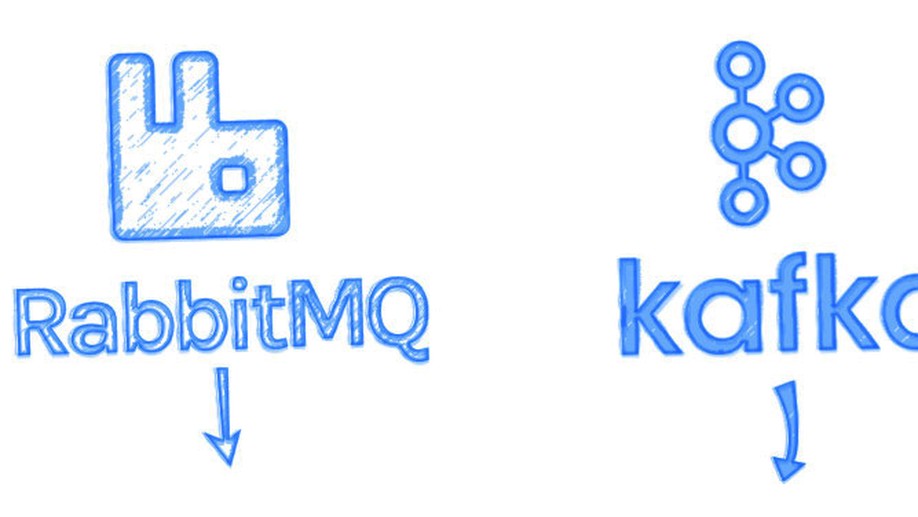
Kafka vs Rabbit
| rabbit | kafka | |
|---|---|---|
| 创建时间 | 2007 | 2011 |
| 开发语言 | erlang | scala |
| AMQP | SUPPORT | NO |
| AGENT | SMART(broker-centric) keeps track of consumer state | dumb(producer-centric) |
| 存储空间 | in-memory | disk |
| INGRESS VOLUME | 20K messages/sec | 100k/sec messages/sec |
| CONSUMERS | mostly online(balancing load to many consumer) | online and batch consumer |
| ROUTING | exchange, binding | simple |
| history | N/A | replay(删除by size 或时间) |
| 数据压缩 | N | Y |
| SPRING SUPPORT | weak | strong |
| 安全 | RBAC backed by a built-in data store, LDAP | JAAS role based access |
| 管理 | Web 和 CLI | JMX 和 CLI |
Maven Mirror
阿里云Maven中央仓库为 阿里云云效 提供的公共代理仓库
打开 maven 的配置文件( windows 机器一般在 maven 安装目录的 conf/settings.xml ),
在
<mirror>
  <id>aliyunmaven</id>
  <mirrorOf>*</mirrorOf>
  <name>阿里云公共仓库</name>
  <url>https://maven.aliyun.com/repository/public</url>
</mirror>
Mysql Tuning on Many Tables
mysqladmin status MySQL is multithreaded, so there may be many clients issuing queries for a given table simultaneously. To minimize the problem with multiple client sessions having different states on the same table, the table is opened independently by each concurrent session. This uses additional memory but normally increases performance
The table_open_cache and max_connections system variables affect the maximum number of files the server keeps open. If you increase one or both of these values, you may run up against a limit imposed by your operating system on the per-process number of open file descriptors.
Mysql Tuning on Query
innodb-memcached-multiple-get-range-query
native partitioning in-place APIs
Redis Install Ubuntu
install curl -O http://download.redis.io/redis-stable.tar.gz tar xzvf redis-stable.tar.gz cd redis-stable make make test sudo make install config sudo mkdir /etc/redis sudo cp redis-stable/redis.conf /etc/redis sudo adduser --system --group --no-create-home redis sudo mkdir /var/lib/redis sudo chown redis:redis /var/lib/redis sudo chmod 770 /var/lib/redis /etc/redis/redis.conf
supervised systemd dir /var/lib/redis # bind localhost start redis-server /etc/redis/redis.conf shutdown redis-cli shutdown redis-cli 127.0.0.1:6379> shutdown run in docker docker run --name redis -network host -v /var/lib/redis:/data /etc/redis/redis.
Mysql Slave
[mysqld]
server-id = 2
relay-log-index = slave-relay-bin.index
relay-log = slave-relay-bin
mysql>CHANGE MASTER TO MASTER_HOST = 'db2',MASTER_PORT = 3306, MASTER_USER = 'repl_user', MASTER_PASSWORD = 'xyzzy';
Connecting the Master
mysql> START SLAVE;
Mysql Tuning on OS
Server and Operating System Kernel – vm.swappiness Disables swapping completely while 1 causes the kernel to perform the minimum amount of swapping
# Set the swappiness value as root echo 1 > /proc/sys/vm/swappiness # Alternatively, using sysctl sysctl -w vm.swappiness=1 # Verify the change cat /proc/sys/vm/swappiness 1 # Alternatively, using sysctl sysctl vm.swappiness vm.swappiness = 1 Filesystems – XFS/ext4/ZFS FILE SIZE mount option EXT4 16TB noatime,data=writeback,barrier=0,nobh,errors=remount-ro XFS 8EiB defaults,nobarrier Disk Subsystem – I/O scheduler Most modern Linux distributions come with noop or deadline I/O schedulers by default, both providing better performance than the cfq and anticipatory ones
Mysql 5.7 InnoDB
mysql 8 测试环境快速搭建(WSL/root远程访问) sudo apt install -y mysql-server mysql --version sudo mysql mysql>CREATE USER 'root'@'%' IDENTIFIED BY '123'; mysql>GRANT ALL PRIVILEGES ON *.* TO 'root'@'%'; mysql>flush PRIVILEGES mysql.conf.d/mysqld.cnf :32:bind-address = 0.0.0.0
sudo service mysql restart Create the root user (yes, a new user because what exists is ‘root@localhost’ which is local access only)
root用户本地登录 本地登录使用系统认证(auth_socket)
sudo mysql root用户远程登录 mysql -u root -p'123' -h 192.168.168.128 mysql> select user,host,plugin from mysql.